急にrcloneでのR2アップロードが失敗したときの備忘録
このブログの画像はCloudflare R2で管理していて、アップロードにはrcloneを使ってます。これがある日突然失敗しました。その対応を備忘録として残しておきます。
## 失敗したコマンド
rclone syncで「ローカル→バケット」にアップロードしようとしました。
rclone sync ローカルの保存ディレクトリ r2:バケット名 --interactive2025/11/14 08:56:23 ERROR : S3 bucket バケット名: error reading destination root directory: operation error S3: ListObjectsV2, https response error StatusCode: 401, RequestID: , HostID: , api error Unauthorized: Unauthorized2025/11/14 08:56:23 ERROR : S3 bucket バケット名: not deleting files as there were IO errors2025/11/14 08:56:23 ERROR : S3 bucket バケット名: not deleting directories as there were IO errors2025/11/14 08:56:23 ERROR : Attempt 1/3 failed with 1 errors and: operation error S3: ListObjectsV2, https response error StatusCode: 401, RequestID: , HostID: , api error Unauthorized: Unauthorized2025/11/14 08:56:23 ERROR : S3 bucket バケット名: error reading destination root directory: operation error S3: ListObjectsV2, https response error StatusCode: 401, RequestID: , HostID: , api error Unauthorized: Unauthorized2025/11/14 08:56:23 ERROR : S3 bucket バケット名: not deleting files as there were IO errors2025/11/14 08:56:23 ERROR : S3 bucket バケット名: not deleting directories as there were IO errors2025/11/14 08:56:23 ERROR : Attempt 2/3 failed with 1 errors and: operation error S3: ListObjectsV2, https response error StatusCode: 401, RequestID: , HostID: , api error Unauthorized: Unauthorized2025/11/14 08:56:23 ERROR : S3 bucket バケット名: error reading destination root directory: operation error S3: ListObjectsV2, https response error StatusCode: 401, RequestID: , HostID: , api error Unauthorized: Unauthorized2025/11/14 08:56:23 ERROR : S3 bucket バケット名: not deleting files as there were IO errors2025/11/14 08:56:23 ERROR : S3 bucket バケット名: not deleting directories as there were IO errors2025/11/14 08:56:23 ERROR : Attempt 3/3 failed with 1 errors and: operation error S3: ListObjectsV2, https response error StatusCode: 401, RequestID: , HostID: , api error Unauthorized: Unauthorized2025/11/14 08:56:23 NOTICE:Transferred: 0 B / 0 B, -, 0 B/s, ETA -Errors: 1 (retrying may help)Checks: 0 / 0, -, Listed 279Elapsed time: 0.2s
2025/11/14 08:56:23 NOTICE: Failed to sync: operation error S3: ListObjectsV2, https response error StatusCode: 401, RequestID: , HostID: , api error Unauthorized: Unauthorized突然の401、認証エラーです。2週間くらい前に同じコマンドを叩いたときには成功してましたし、rcloneの設定ファイルはいじってません。
## 原因
APIトークンの期限切れ でした。
Cloudflareのダッシュボード上だと すでに非表示になっていたので確認できませんでした が、筆者は1Passwordに期限をメモしてたのでそれで分かりました。
## 対応
再度APIトークンを作りましょう。
### APIトークンの作成
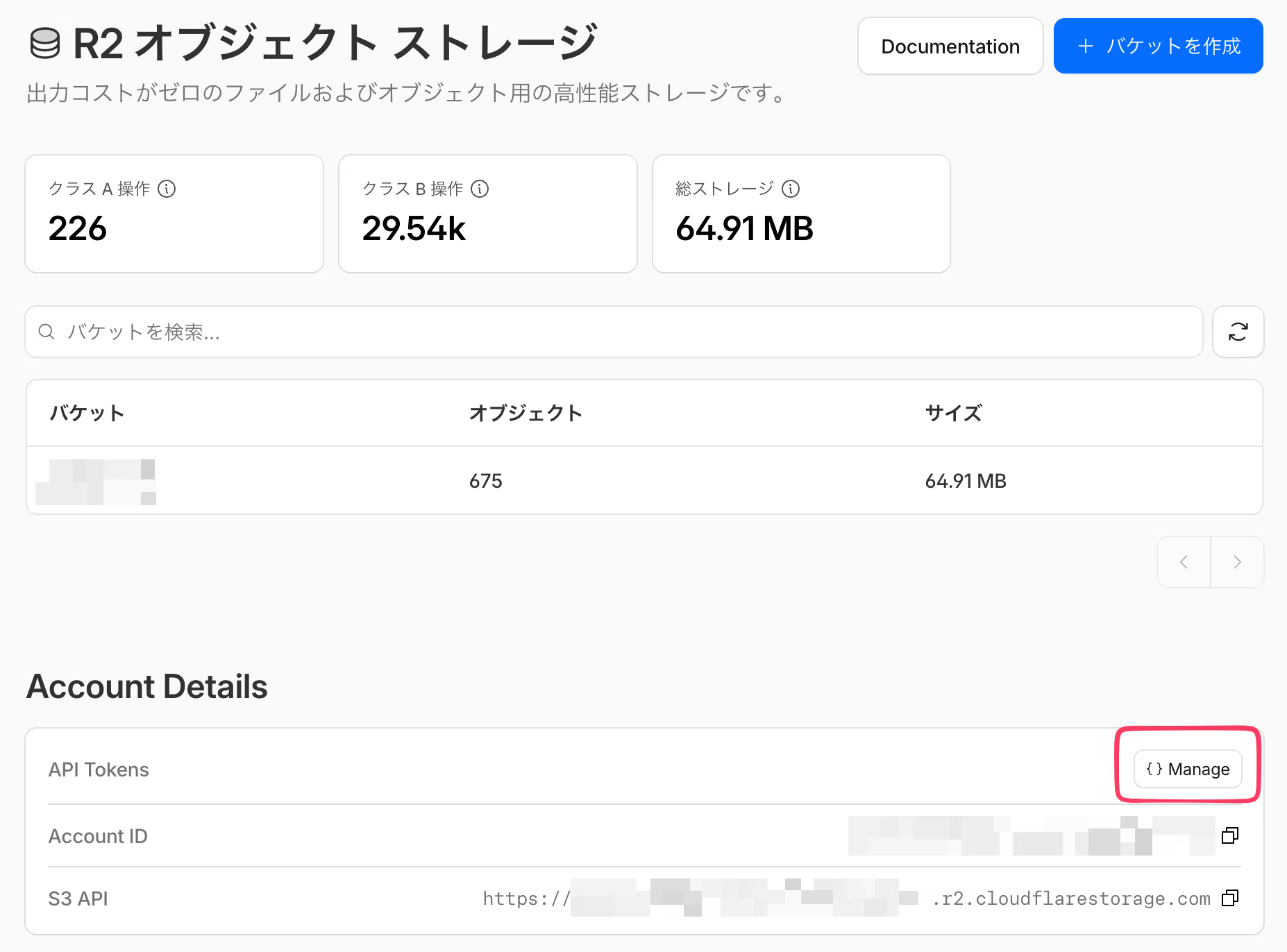
CloudflareのダッシュボードにてR2のページにあるAPI Tokensの管理画面を開きます。
で、APIトークンを作成します(筆者の環境だと文字がはみ出てますが右上のボタン)。
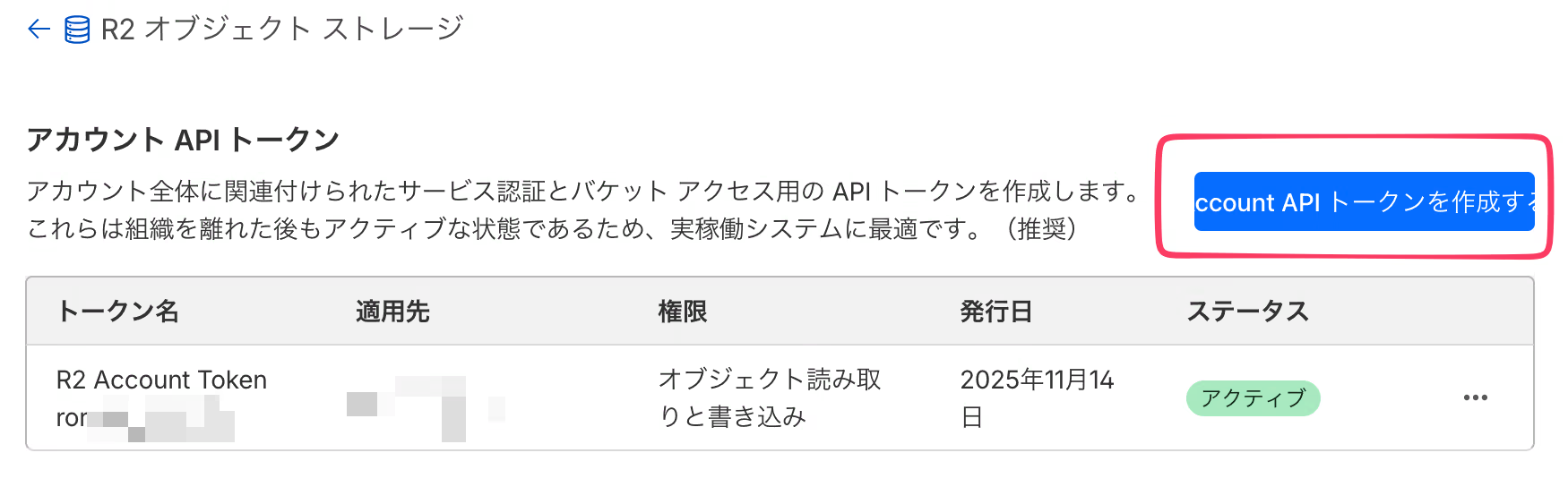
作成すると、次の情報が表示されるのでメモしておきます。
- トークンの値
- アクセスキーID
- シークレットアクセスキー
※エンドポイントは前と同じです。
ついでに設定した TTLもメモ しましょう。
### 設定ファイルの更新
rcloneの設定ファイル(~/.config/rclone/rclone.confなど)で該当バケットの「アクセスキーID」「シークレットアクセスキー」を上書きします。
[r2]type = s3provider = Cloudflareaccess_key_id = xxxxxxxxxxxxxxxxxxxxxxxxxsecret_access_key = xxxxxxxxxxxxxxxxxxxxxxxxxxxxxxxxxxregion = autoendpoint = https://xxxxxxxxxxxxxxxx.r2.cloudflarestorage.comacl = private### もう一度rcloneする
これでもう一度rclone叩いたら成功するはずです。
rclone sync ローカルの保存ディレクトリ r2:バケット名 --interactive期限をメモしておいて良かったけどその前に通知入れておけばよかったなと思いました。